#Cloud
#Infrastructure
#Unified communication

23.09.20



#Cybersecurity
#Infrastructure

For maintenance purposes, companies often need to grant access to external service providers.
These access rights are necessary, yet their scope is rarely questioned. Does the provider have access to more resources than required? From which device, IP address, and at what time should they perform their intervention? Should their access be revoked once the assignment is completed?
With the upcoming implementation of the NIS2 Directive, these considerations will become regulatory obligations. Recitals (85) and (89) of the NIS2 preamble respectively encourage organizations to “address risks stemming from an entity’s supply chain” and to “adopt a broad range of basic cyber hygiene practices, including identity and access management.”
Controlling privileged access is therefore becoming a necessity.
This is why Rcarré includes a Privileged Access Management (PAM) solution in its managed services offering for all its customers.
Learn more in this article.
Access and privilege management consists of defining who can access corporate resources, with which permissions, and under what conditions. This applies both to employees and external providers.
In most SMEs, access management begins with user accounts. Whenever an employee joins the company, changes roles, or leaves the organization, their permissions must be updated accordingly or revoked entirely. Access to shared folders and business applications should never allow employees to view information that is not required for their daily responsibilities.
At Rcarré, this approach is structured around user profiles. Employee permissions are assigned based on specific business functions, such as invoicing, accounting, or activity-specific operational roles. This implementation of the principle of least privilege ensures that users only have access to the resources required for their work. By limiting permissions to what is strictly necessary, organizations reduce the potential impact of a compromised account, human error, or insider threats. It also helps prevent malicious actions such as unauthorized data exfiltration, intentional file alteration, or the deletion of critical business information.
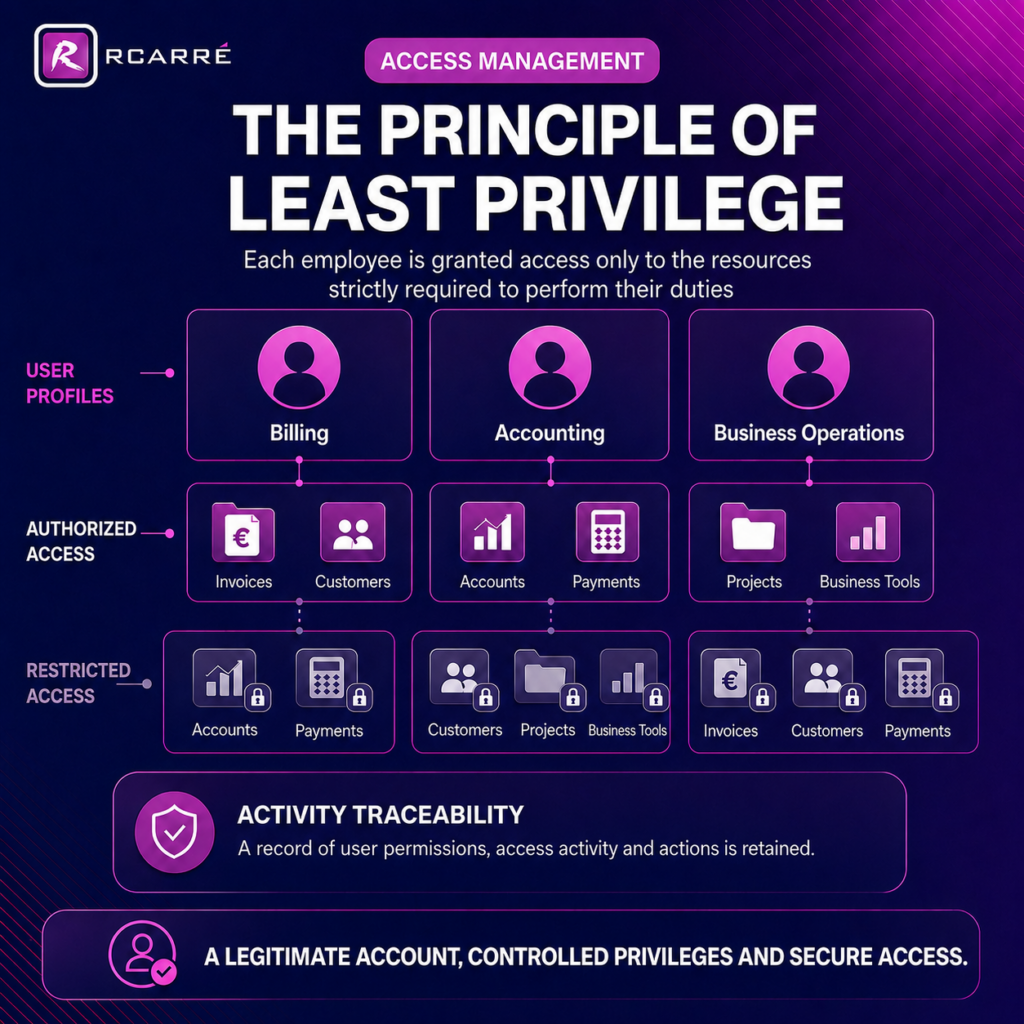
Each team is assigned a standard set of access rights shared across all profiles. When required, additional permissions may be granted on a case-by-case basis. This may occur, for example, when an employee’s responsibilities evolve or when they are involved in a cross-functional project requiring collaboration across multiple departments within the organization. However, the assignment of these additional privileges must always be justified, monitored, and limited to the specific business need.
The same level of vigilance applies to administrator accounts and external service providers with elevated technical privileges. A third-party supplier may need to access a server, a business application, or network infrastructure to perform maintenance. However, access should remain limited to the systems concerned and only for the duration required. Whether used internally or externally, privileged accounts should always be assigned, monitored, and audited according to clearly defined rules.
The first risk comes from excessive permissions. Rcarré still frequently encounters situations where a domain administrator account is created for users who only require access to a single server.
According to Kevin GUILLAUME, Technical Director at Rcarré: “It is not uncommon to see domain administrator accounts created across an entire infrastructure when best practices would dictate granting access only to the specific server concerned. This often happens due to time constraints, but such shortcuts can have serious consequences in the event of a compromise.”
Another common bad practice is shared user accounts. When credentials are used by multiple individuals, organizations lose visibility over who performed which actions and under what circumstances.
This lack of traceability becomes particularly problematic following an incident or operational error. NIS2 requires organizations to demonstrate adequate control over access management, risk management, and incident response processes. Without individual accounts and meaningful audit logs, attribution and forensic analysis become significantly more difficult.
Credential theft and unauthorized credential reuse remain major risks for businesses. According to Verizon Business’s Data Breach Investigations Report, compromised credentials account for 13% of initial access vectors in data breaches. For SMEs and mid-sized companies, credentials are also among the most exposed types of data, representing 31% of all compromised information.
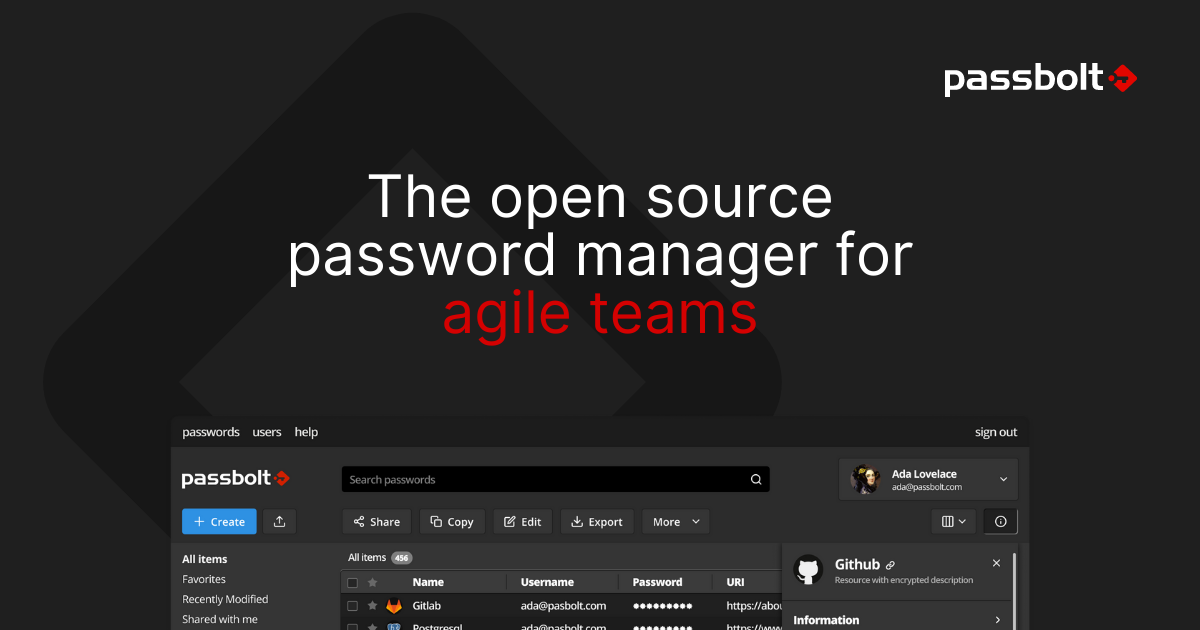
To mitigate these risks, Rcarré deploys Passbolt, a secure password management vault designed for collaborative environments. This Luxembourg-based, open-source, and sovereign solution enables organizations to securely share credentials with one or more employees while assigning specific roles and permissions to each user. As a result, access rights and user activities can be fully tracked, providing greater control, accountability, and security.
At Rcarré, we consider access management to be a core pillar of enterprise cybersecurity. To support this vision, we have partnered for many years with WALLIX, a leading European and sovereign software provider, to deliver its Privileged Access Management (PAM) solution.
This technology enables us to implement user profiles and roles, restrict permissions according to the principle of least privilege, and grant temporary access to external service providers based on a Just-in-Time (JIT) approach. Users receive only the permissions they need, only for the duration required.
Every Rcarré customer benefits from our PAM technology. As a result, when a third-party provider requests access to a system or resource, the request is automatically approved or denied according to the user’s role and the scope of responsibilities defined for their assignment.
By controlling factors such as authorized access times, geographic location, and approved devices, PAM further reduces the opportunities available to potential attackers. Even if an account is compromised, the malicious actor’s ability to move within the environment and cause harm remains severely restricted.
When combined with Multi-Factor Authentication (MFA) and Role-Based Access Control (RBAC), PAM helps prevent unauthorized access to critical systems and limits the possibility of lateral movement across the corporate network.
Equally important is the ability to maintain a complete audit trail. In the event of an error, security incident, or suspected compromise, organizations must be able to determine what actions were performed, which account was used, and under what circumstances the intervention took place.
For this reason, Rcarré’s technical teams record server access sessions conducted through the PAM platform. These records are retained for six months, enabling detailed reconstruction of user activities, facilitating post-incident investigations, and supporting continuous improvement of access rights and security procedures when necessary.
At Rcarré, this rigorous approach to identity and access management is applied by default across all client environments under our management. It forms part of a broader foundation of cybersecurity best practices that we continuously implement to strengthen the overall security posture of our customers.
Securing privileged access is based on a simple principle: every account should have only the permissions it needs, at the right time, and for a clearly defined purpose. This approach limits excessive privileges, reduces the risks associated with shared accounts, and improves the traceability of user activities and interventions.
By integrating WALLIX Privileged Access Management (PAM) into its managed services offering, Rcarré applies these control mechanisms by default. Permissions are assigned according to predefined user profiles, third-party access can be granted for a limited period, and all sensitive actions are systematically monitored and recorded.
This approach also lays the groundwork for emerging use cases involving Artificial Intelligence (AI) agents. As AI agents become increasingly connected to business applications, internal documents, and technical environments, their ability to interact with corporate resources will need to be governed by precise access control policies.
Rcarré is already anticipating these developments by structuring identity, role, and access management around principles that can be applied not only to human users, but also to the next generation of digital agents. By establishing robust governance frameworks today, organizations will be better equipped to securely adopt AI-driven workflows while maintaining control over their data, systems, and critical business processes.
Manage your PAM !


#Cloud
#Infrastructure
#Unified communication
23.09.20
#Cybersécurité
#Cybersecurity
#Digital
03.11.22

#Cybersecurity
07.02.22